Explore how cloud computing services influence IT staffing and budgets, revealing hidden challenges that can affect your business's flexibility and growth.

November 19, 2026
A cloud computing model chosen for convenience can quietly limit how a company hires, trains, and structures its IT staff for years. Early deployment decisions end up shaping staffing and budget options long after the initial project is over.
Setting up cloud computing services usually comes down to three priorities: speed, cost, and getting systems live. Those priorities, though, say nothing about what happens once the system is running—staffing gaps, training headaches, and budgets that stop fitting the business they were built for.
That's because one early decision about your cloud environment quietly shapes your IT team's size, skills, and even how your department gets organized. The effect isn't obvious at first. It surfaces later, long after the deployment is done, by which point your options have already narrowed.
Cloud computing lets you run software applications over the internet, store data offsite, and scale up or down as needed, which is exactly why businesses in Connecticut use it to avoid buying and maintaining physical hardware. The setup looks simple on paper. The long-term effects are anything but.

The type of cloud computing model you choose—public, private, or hybrid—directly affects what skills your IT staff will need, and each model carries demands that don't end once deployment wraps up.
A public cloud setup, for instance, often means your team spends more time managing vendors and less time maintaining servers. A private cloud or on-premises solution flips that balance, putting more responsibility on your staff to handle the underlying infrastructure directly.
Because these roles differ so sharply, your initial choice can lock you into a particular staffing pattern. Try to switch models later, and you may find your team simply lacks the right experience, which means retraining, hiring new staff, or restructuring the department altogether.
None of this looks urgent at the start. Given enough time, though, it makes your IT team less flexible and steadily more expensive to maintain.
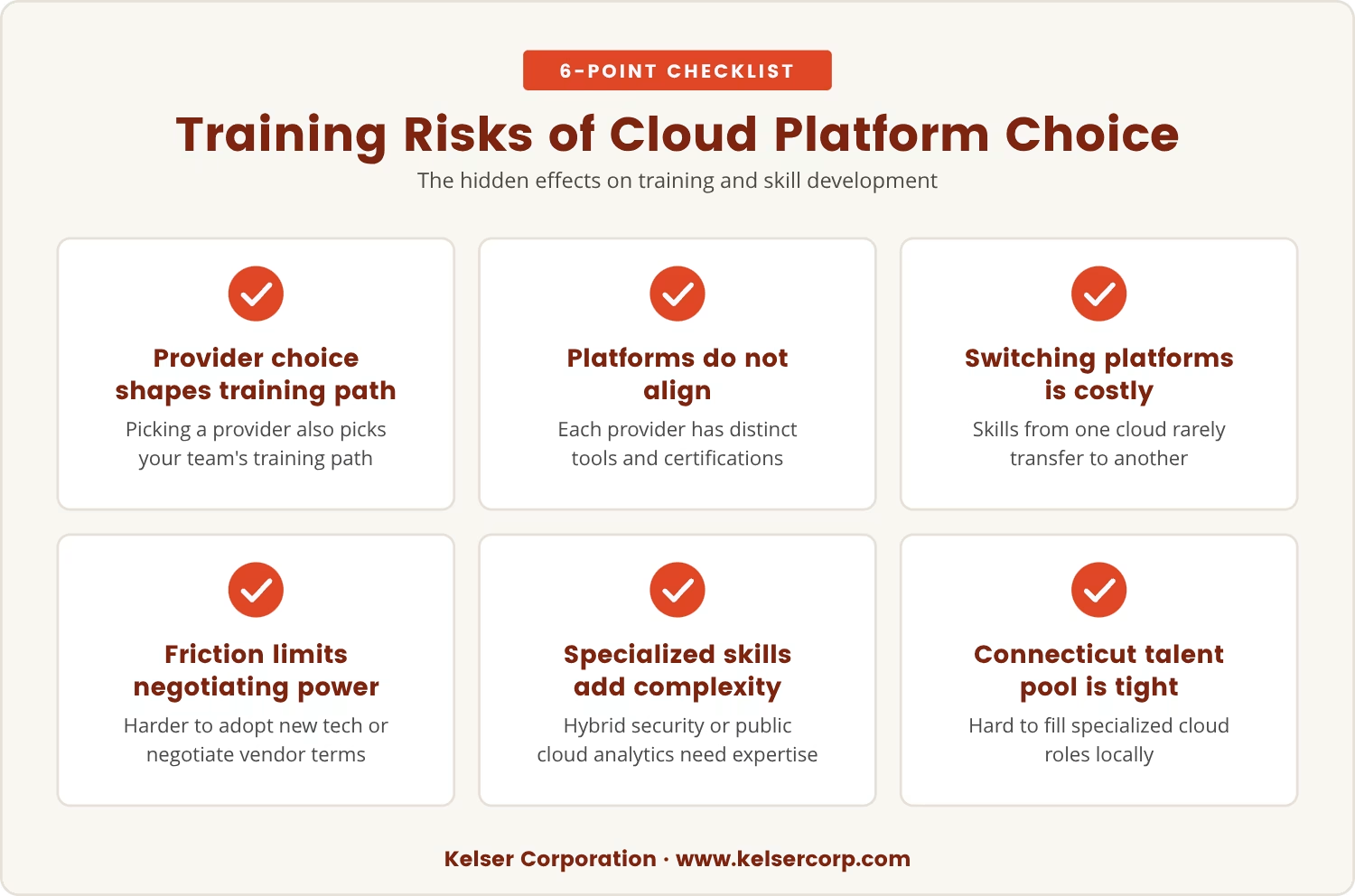
Picking a cloud service provider also means picking the training path your IT team will follow. AWS, Microsoft Azure, Google Cloud—each comes with its own tools, certifications, and best practices, and none of them line up neatly with the others.
So when a team trains deeply on one platform, switching later turns costly and slow, since skills built for one cloud platform rarely transfer cleanly to another. That friction can limit your ability to adopt new technologies or negotiate better terms with vendors down the line.
Certain types of cloud computing compound the problem further, demanding specialized knowledge—managing security in a hybrid cloud, say, or optimizing analytics in a public cloud. Skills like these take time to build, and they're not always sitting in your local hiring pool.
In Connecticut, where competition for IT talent already runs tight, that gap makes it harder still to fill open positions or keep pace with changing business needs.
Cloud computing services get chosen, more often than not, as a way to save money. Yet the staffing and training consequences that follow can reshape your IT budget for years afterward.
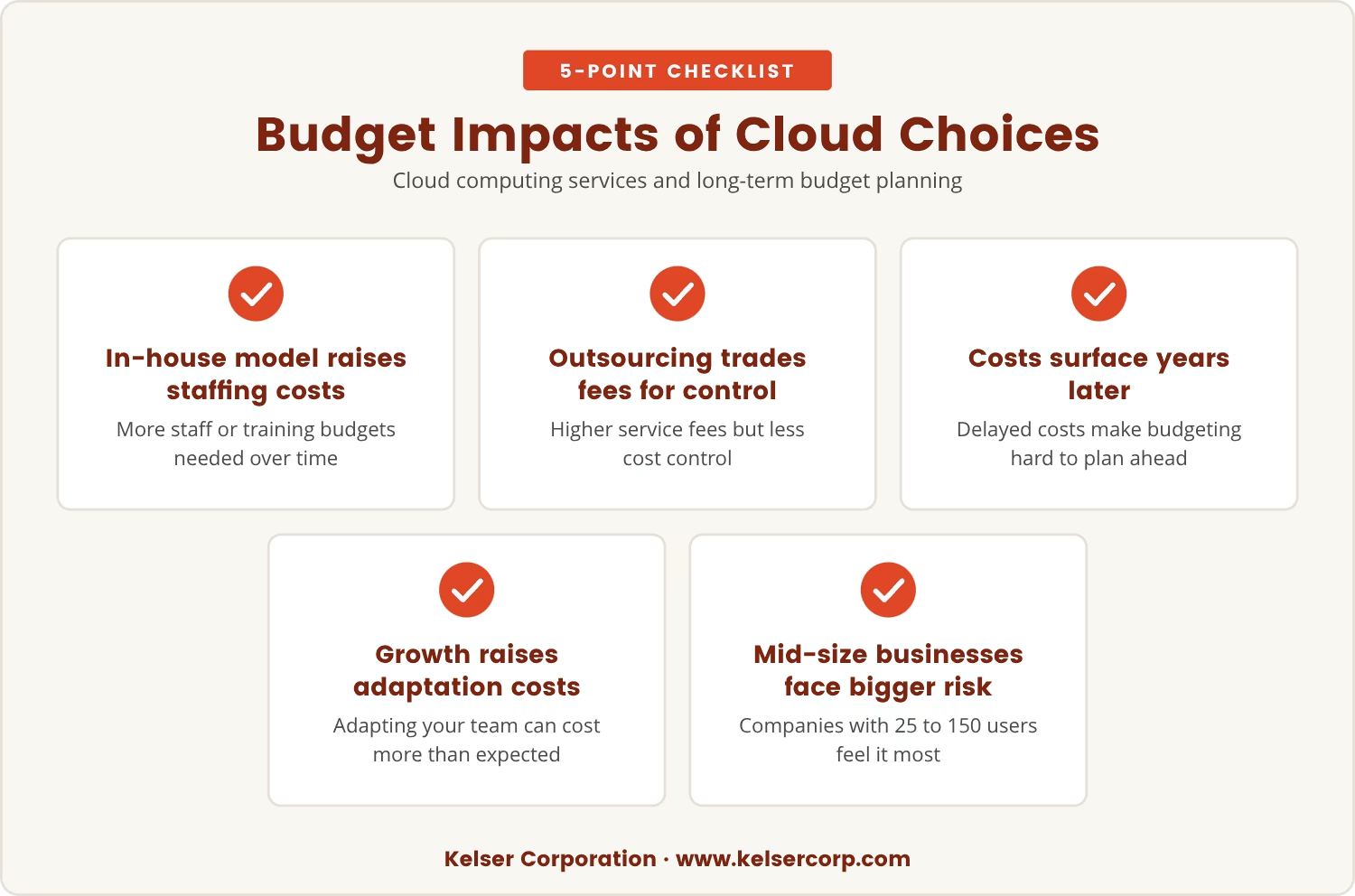
Pick a model that leans on in-house expertise, and you'll likely need more staff or ongoing training budgets to match. Lean the other way, toward outside vendors, and you trade that for higher service fees and less control over costs.
Either path makes budgeting tricky, since the real costs often don't surface until years after the initial deployment—which means planning ahead is difficult by design. If the business grows or shifts direction in the meantime, adapting your team can end up costing more than anyone expected.
That risk lands hardest on businesses in the 25 to 150 user range, where every staffing decision carries outsized weight on the bottom line.
Changing your cloud deployment model—moving from on-premises to the cloud, or swapping one provider for another—creates staffing challenges precisely because the skills your team has today may not match what tomorrow requires.
Moving from a private cloud to a public cloud, for example, typically means IT staff shift from managing physical hardware to overseeing cloud-based workloads instead. That shift demands new certifications, new thinking about security, and new approaches to managing data centers.
Without planning for that transition, you risk a stretch where your team is spread too thin to support critical business applications, which in turn slows projects down and raises risk across the board.
The way you use cloud service models—infrastructure as a service (IaaS), platform as a service (PaaS), software as a service (SaaS)—can reshape your IT department in ways that aren't obvious until they've already happened.
Moving to IaaS or SaaS means your IT team spends less time on physical hardware. Instead, their hours shift toward managing service contracts and integrations.
Cloud platforms often bundle in analytics and automation tools, and that capability creates demand for staff who can put those tools to work improving processes and monitoring real-time data.
Cloud environments demand strong security skills as a baseline. Your team may need new approaches to protecting data and meeting compliance standards, particularly with public cloud resources in the mix.
Working with a cloud provider means your IT staff now coordinates with outside teams as a matter of routine. That coordination reshapes how roles and responsibilities get structured inside your own department.
Cloud platforms update often, so your team needs to learn new features and adapt quickly as a matter of course. That pace has real implications for how you plan training and career development.
The real impact of early cloud decisions tends to show up long after the rollout is finished. A handful of staffing constraints tend to recur:
Avoiding that box-in effect starts with planning for flexibility from day one, which means looking past the immediate deployment toward how the business itself might change.
One approach is choosing deployment models built for easy scaling and switching from the outset. Pair that with cross-training your staff, and your team stays ready to handle different platforms and technologies as they come up.
Ask yourself: if your business needed to pivot to a new cloud provider or add new applications over the internet, would your current team actually be able to support that change?
Planning ahead on both fronts reduces the risk of unexpected staffing costs and keeps your IT department agile as the business grows around it.
Looking back, the cloud computing model chosen for convenience can end up shaping your IT staffing and budget for years. The effects rarely show up immediately, which is exactly what lets them quietly limit your options over time.
If your current setup seems to be limiting flexibility, the moment to review your deployment model and staffing plan is now—not after the next budget cycle forces the question. Weigh whether your team has the right mix of skills for where the business is headed, and whether your budget can absorb ongoing training or structural change.
The earlier these issues get addressed, the easier it is to adapt and sidestep costly surprises later on.

Many businesses in Connecticut with 25 to 150 users find that early cloud choices shape their IT staffing and training needs for years. At Kelser Corporation, we understand how these decisions can affect your team's flexibility and your long-term budget.
If you want to see how we approach cloud deployments or talk through your current setup, our team is ready for a conversation about what comes next.
We'll match your current IT costs and give you 10% off your first year if you qualify—see how your setup stacks up with our offer.
The main types of cloud computing are public cloud, private cloud, and hybrid cloud. A public cloud is managed by a third-party provider and shared across organizations; a private cloud is dedicated to one business and can be hosted on-site or by a provider; hybrid cloud combines both, letting different workloads run on whichever fits best. Each type offers a different balance of control, security, and flexibility.
The provider you choose changes what your IT staff actually does each day, since some require your team to manage more settings and integrations while others absorb most of the technical detail themselves. The provider's tools and support options also shape how quickly your team can respond to issues and keep systems running.
Weigh your current and future business needs against the skills your team already has, along with how much control you want over your data and applications. It's also worth considering how easily you could switch models or providers if your needs shift down the road.
Cloud-based solutions can cut upfront costs by removing the need for physical hardware and data centers. Long-term savings, though, depend on how well usage, training, and vendor contracts get managed, since unexpected staffing or training needs can eat into the overall budget.
Frequent skill gaps, rising training costs, or trouble adapting to new business needs are all signs your cloud environment may be limiting your options. Reviewing your IT team's structure and the flexibility of your cloud setup on a regular basis helps catch these issues before they become expensive.